Leaving time on the track? Kart Track finds it.
Kart Track Speed Lab turns your lap data into coaching you can actually use. Use the app to download sessions straight off your MyChron or Alfano, then see exactly which corners are costing you time & how to fix it.
EGT 610
All of Kart Track, right in your pocket.
Pull sessions off your logger wirelessly and get Speed Lab coaching before your next run. Free to download.


How it works
From the seat to a coaching plan in minutes, all on your phone.
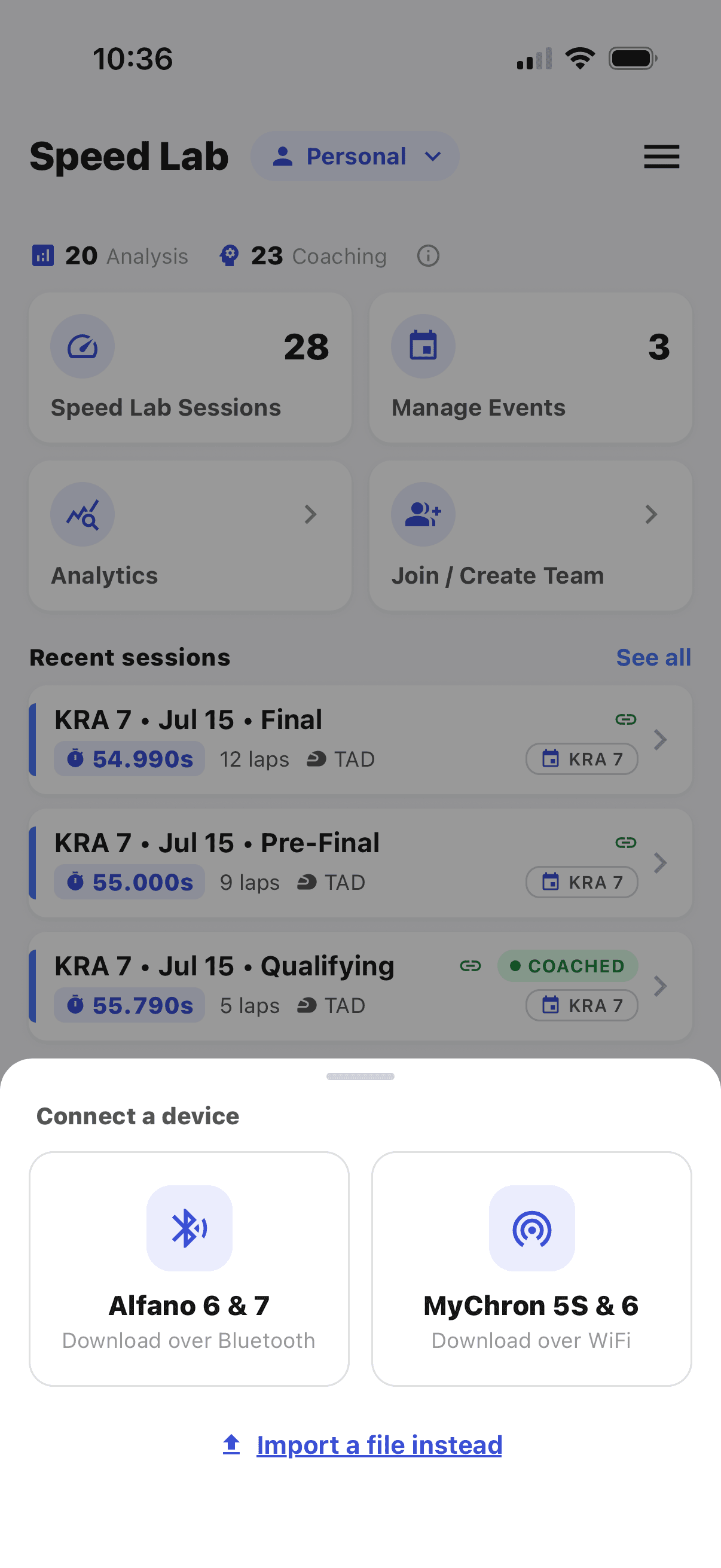
Connect and download.
Pair with your MyChron or Alfano and pull the session wirelessly. No cables, no exports.
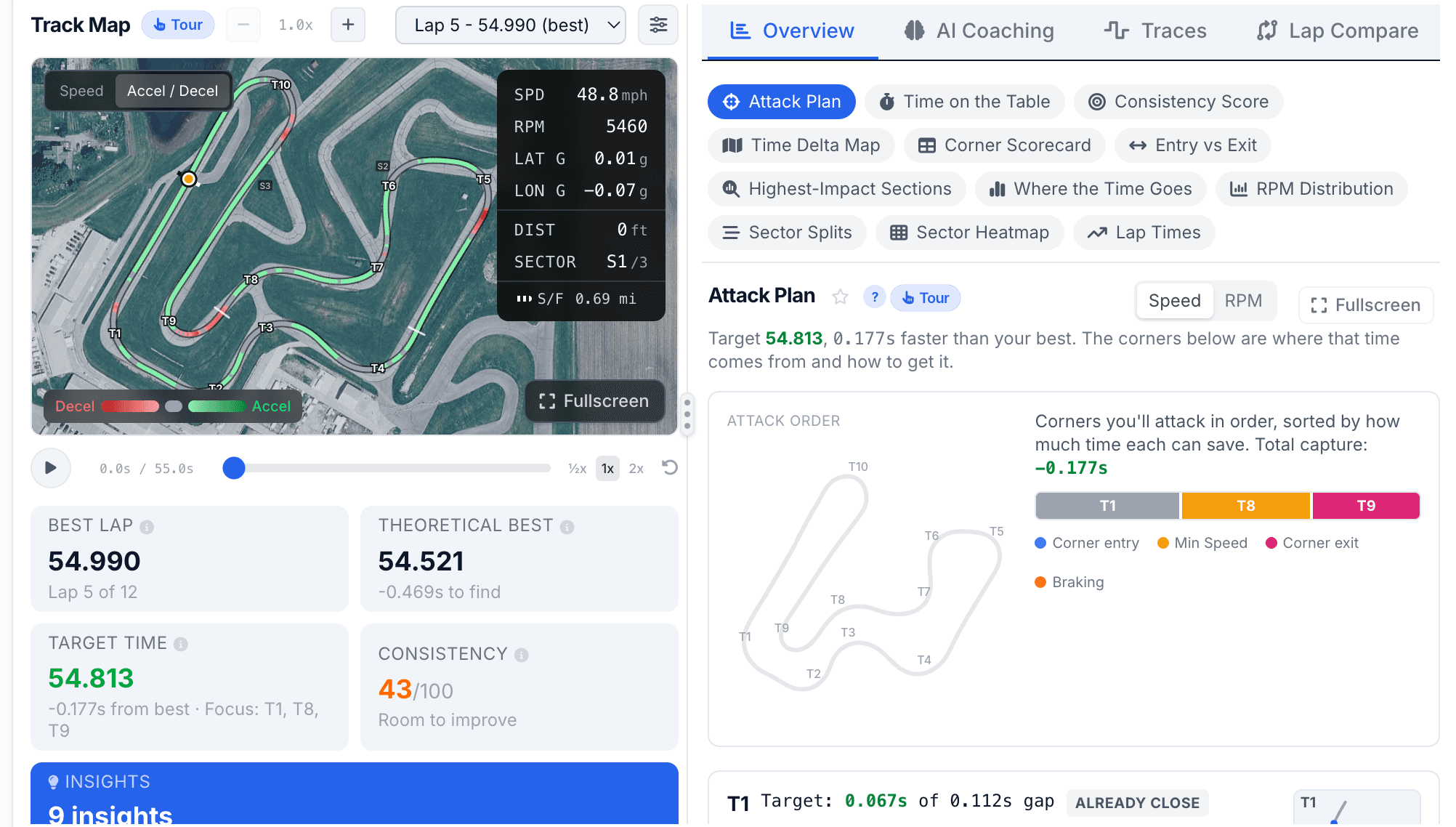
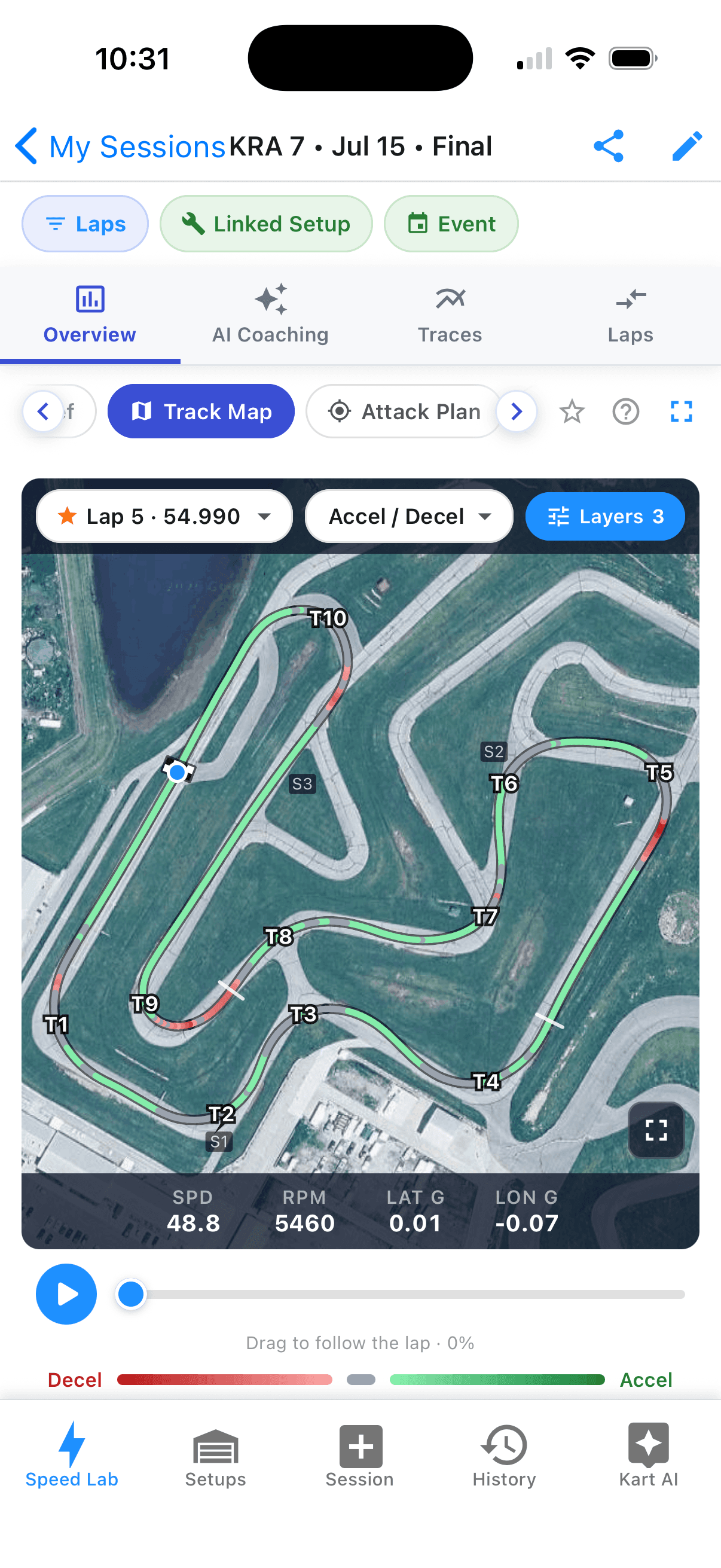
See where you’re losing time.
AI coaching, track maps, and traces break down every corner, right on your phone.
Dial in the kart, too.
Save your setup with the session and get tuning advice from Kart AI for the next time out.
Download straight off your logger.
Pair the app with your MyChron 5S or 6, or Alfano 6 or 7, and pull the session over the air. No cables, no card readers, no CSV exports. You are looking at your data before you are out of the seat.
Coaching that finds your time.
Every session gets a plan: your top 3 focus areas, ranked by how much time each is worth, with the exact braking points and corner data behind them. Read it between runs and go fix it.
See a live example →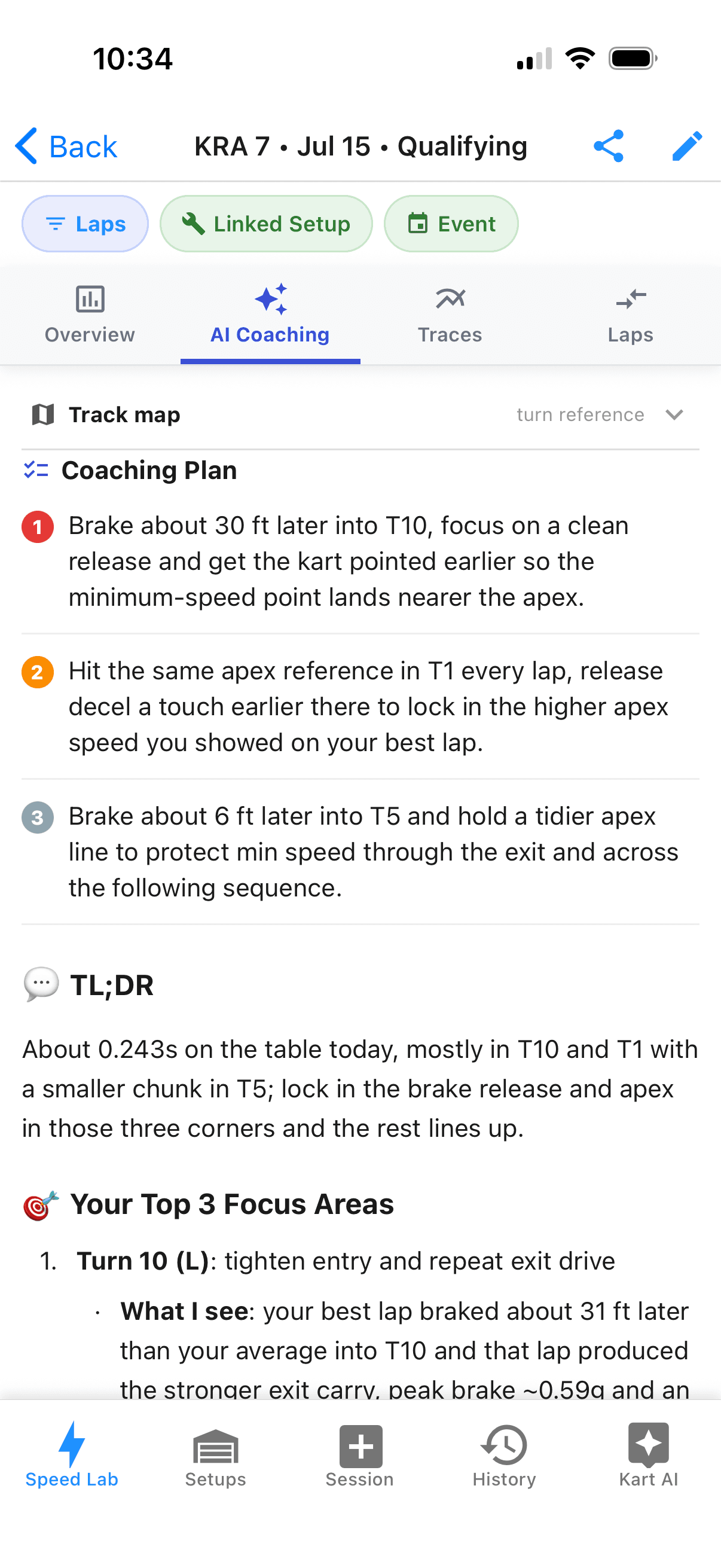
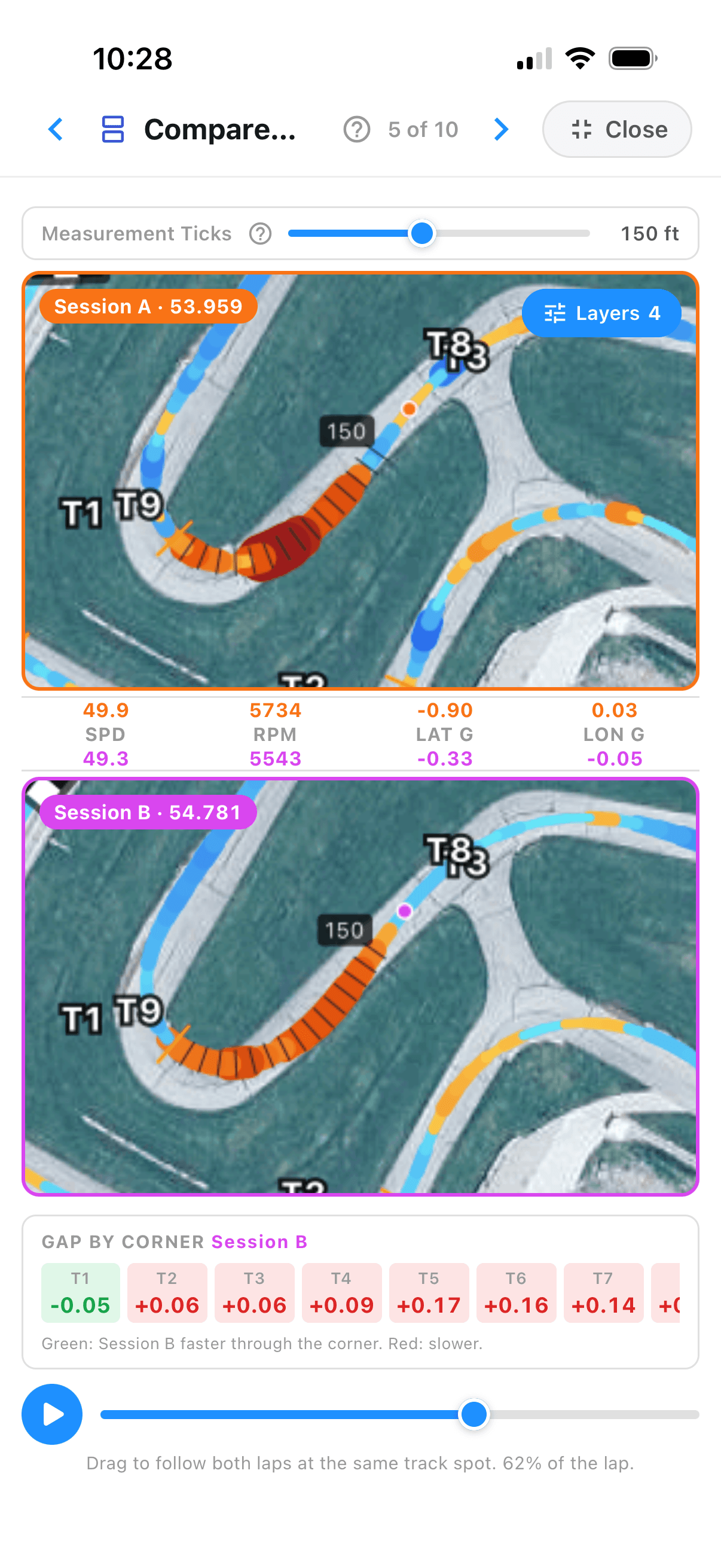
Session against session.
Put two sessions side by side and watch the gap build corner by corner. Brake zones, min speeds, and per-corner deltas. You can even compare a MyChron session against an Alfano one.
Take the data apart.
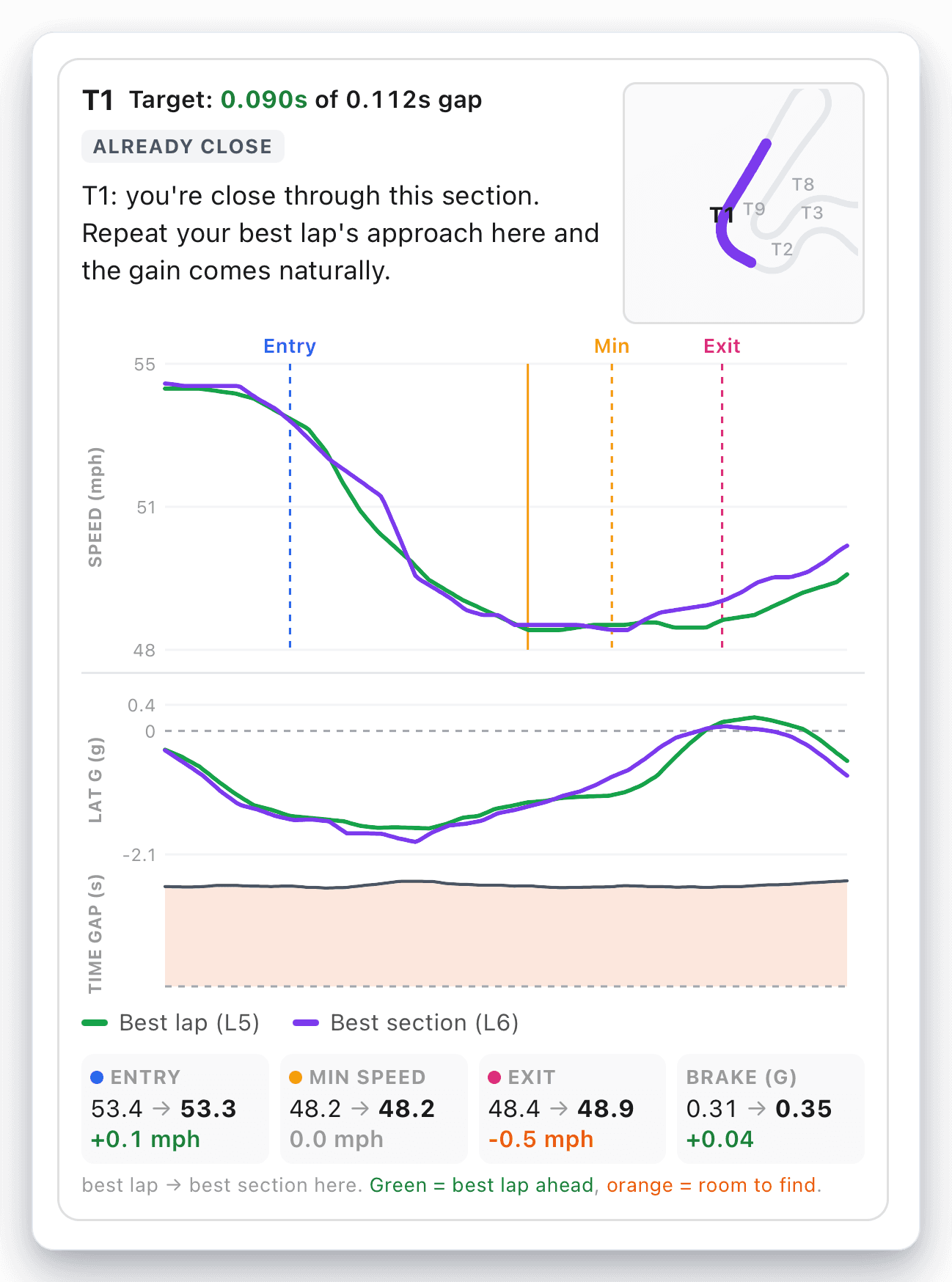
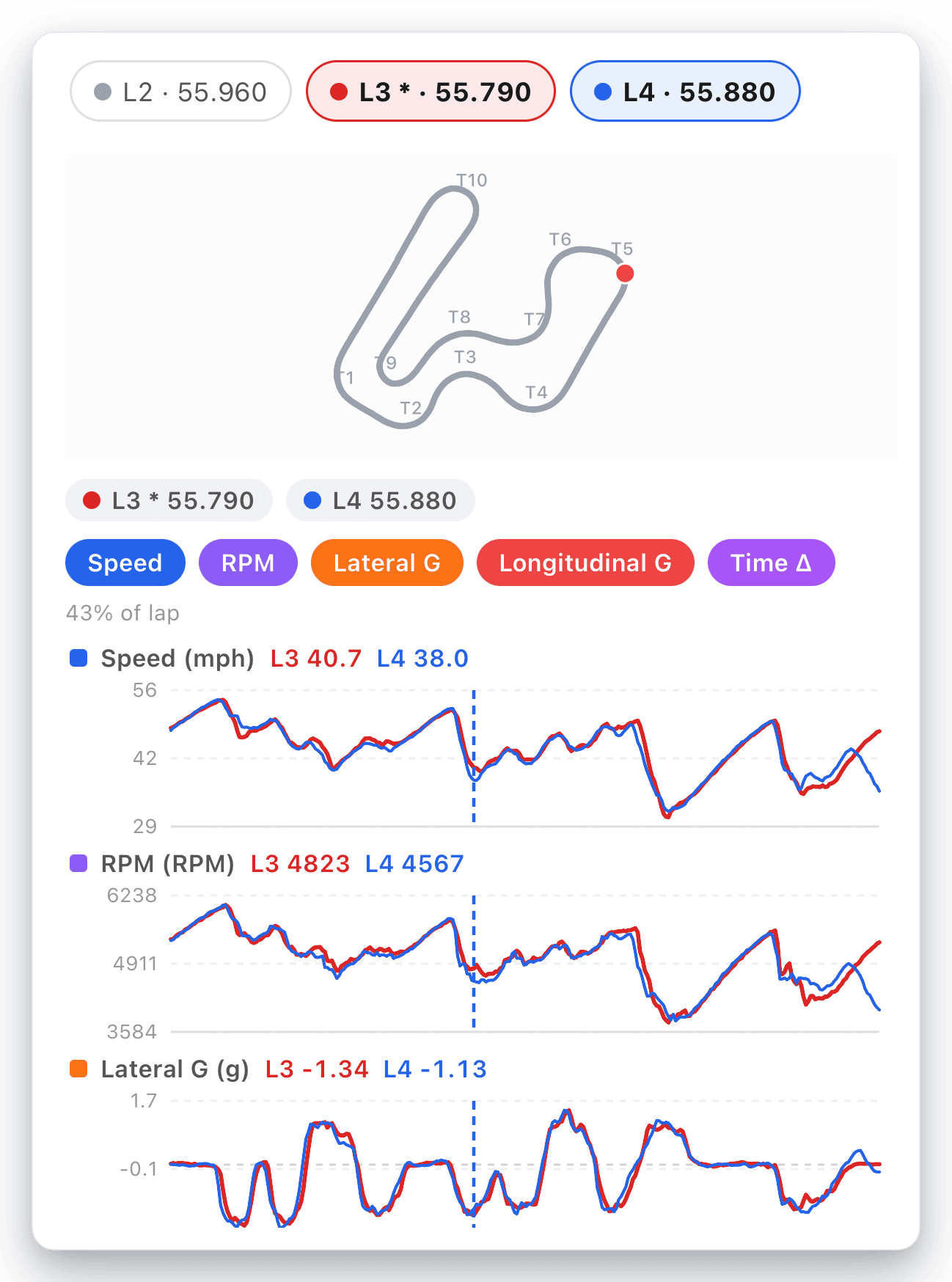
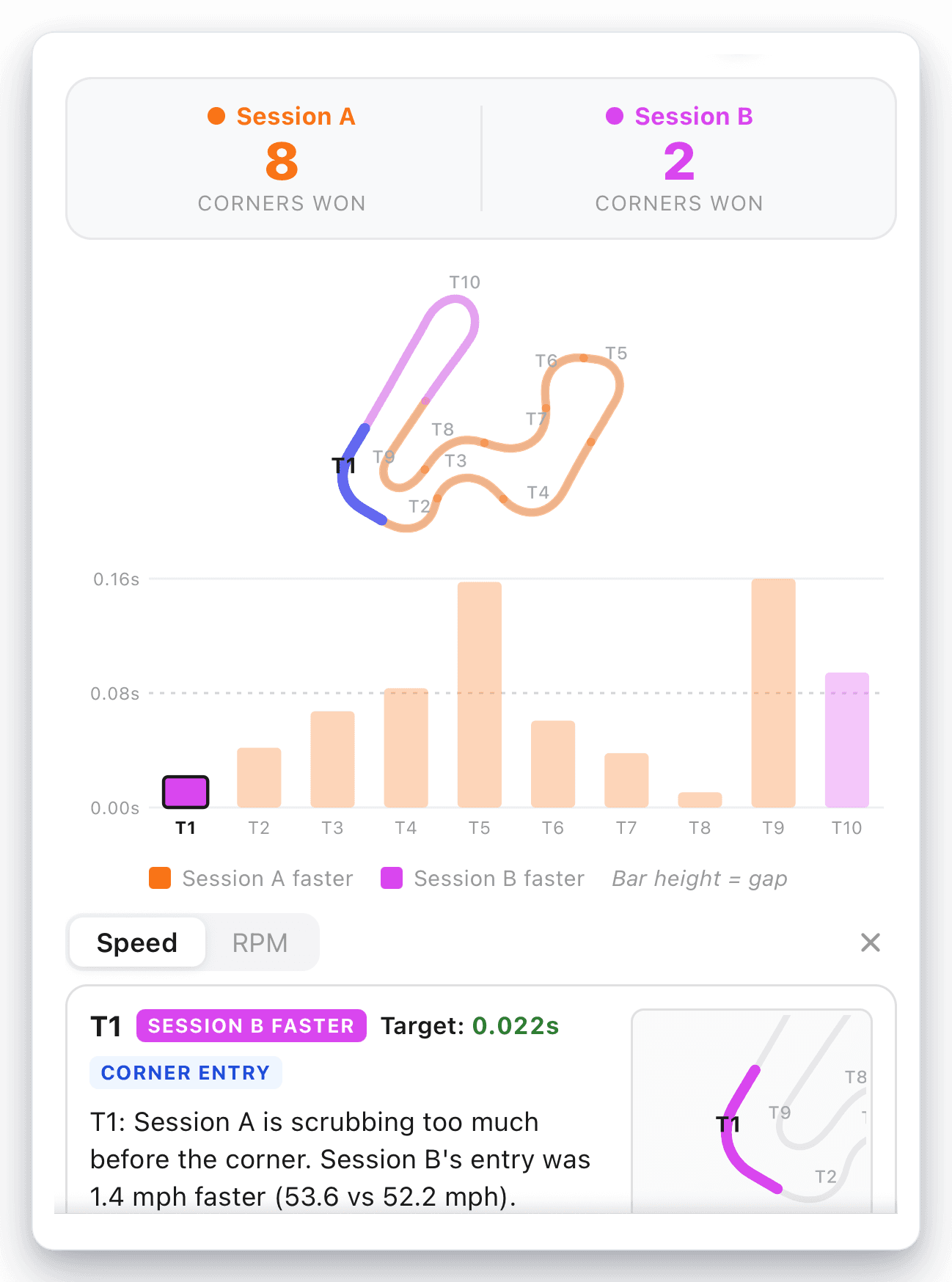
When you want the detail, the charts show exactly where the time went, corner by corner and lap by lap.
One app. The whole toolkit.
Everything you need to turn a session into speed. The web has all the same tools when you want a bigger screen.
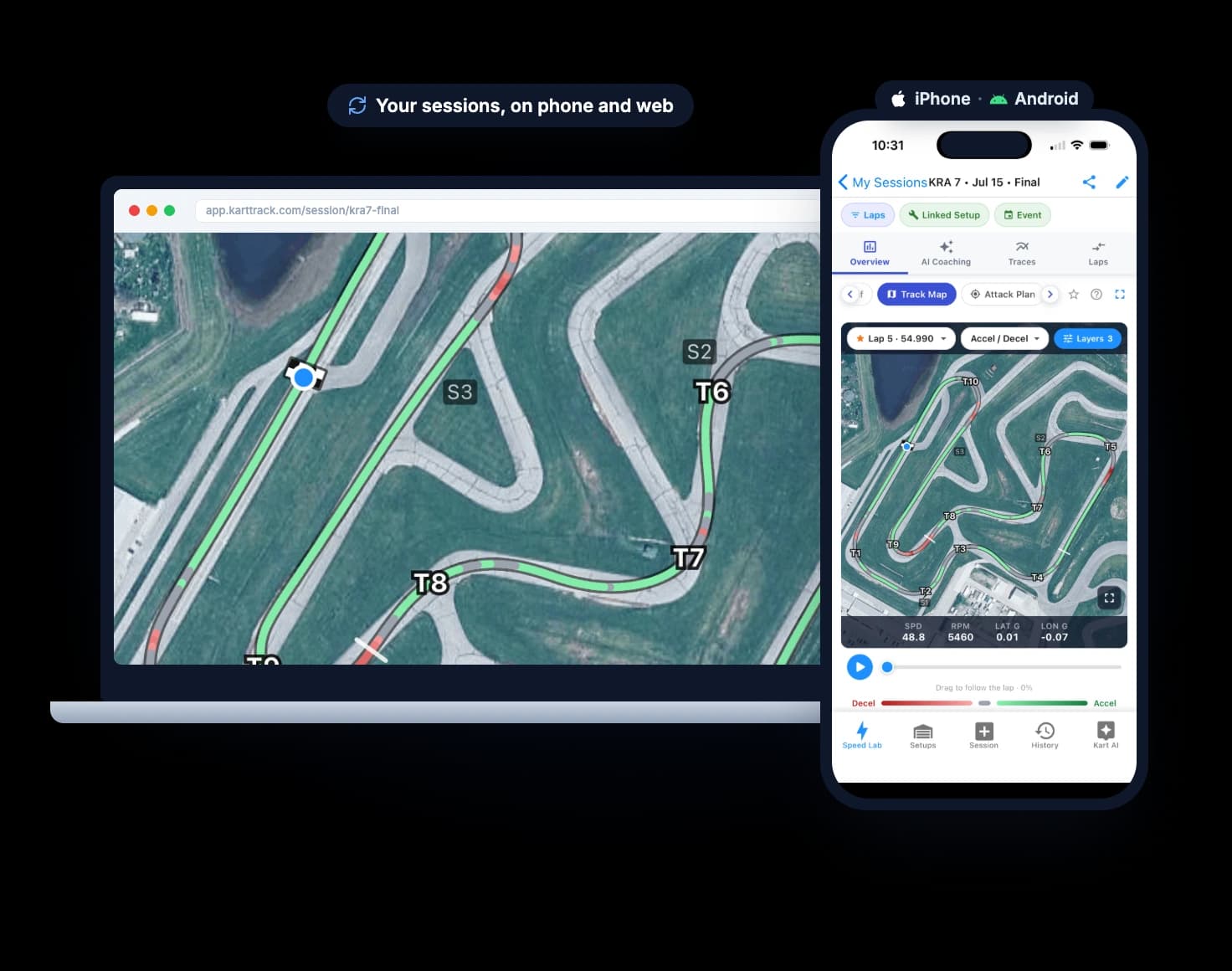
GPS track map
A speed heatmap painted on your exact racing line.
Trace overlays
Speed, RPM, and g-force, lap against lap.
Time delta map
Every tenth mapped to the corner it came from.
Advanced analytics
Corner Scorecard, Entry vs Exit, Highest-Impact Sections, and more.
Setups & Kart AI
Save and share setups, and get tuning advice for your kart.
Weather & notes
Log every session with the conditions that shaped it.
Your sessions, on every screen.
One account, every screen. Sessions, coaching, and setups sync across iPhone, Android, and the web automatically, so you pick up right where you left off.

Your team’s unfair advantage.
Running a race team?
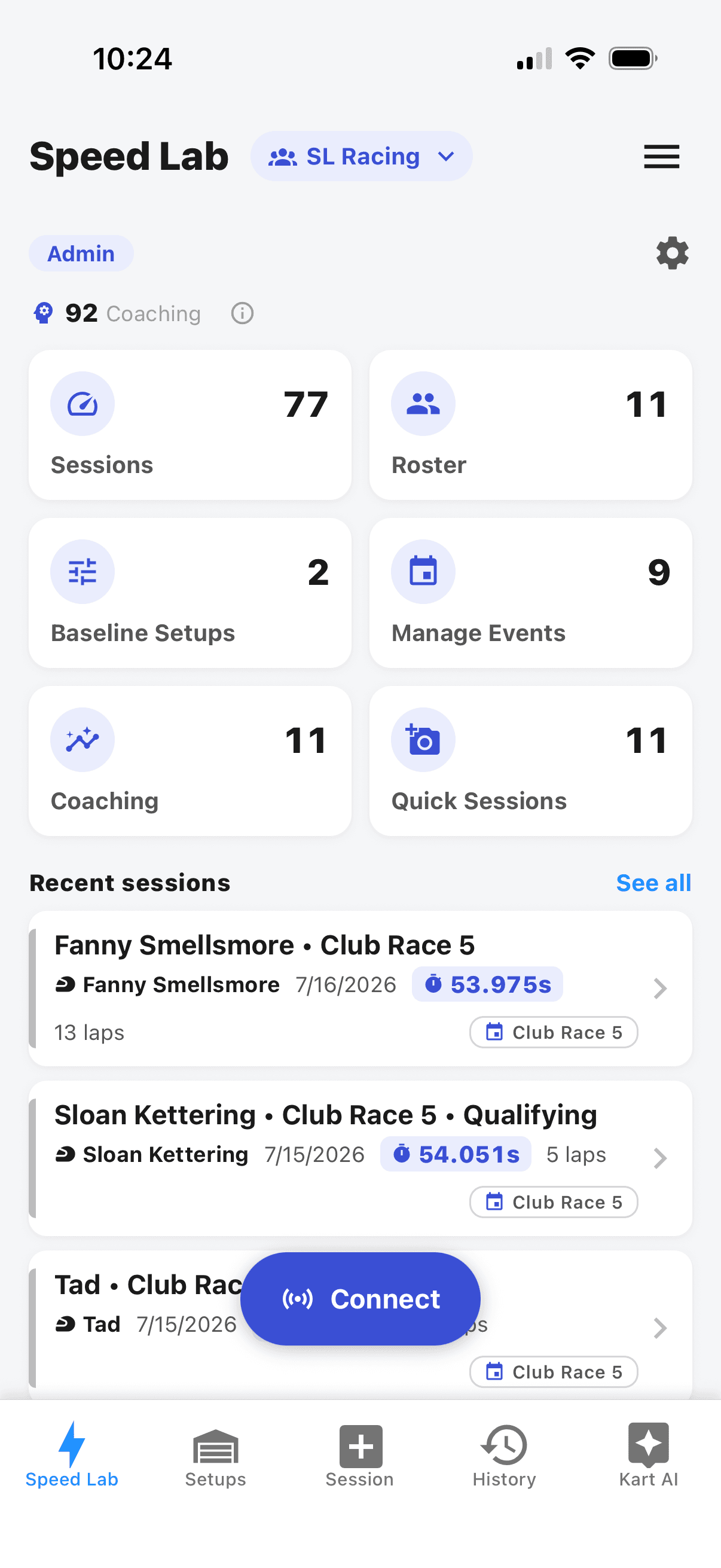
One workspace for your whole roster. Pool coaching credits across the team, manage your coaches and drivers, compare any two drivers lap-for-lap, and show every driver where to find time.
Built for karting. Not borrowed from cars.
Every chart, metric, and setup field is tuned for how a kart actually behaves, not repurposed from car racing software.
Wireless download works with MyChron 5S, MyChron 6, Alfano 6, and Alfano 7.
Have a different logger? Export a file and upload it on the web.
Kart Track is an independent product and is not affiliated with, endorsed by, or sponsored by AIM Sportline or ALFANO S.A. MyChron and Alfano are trademarks of their respective owners.
Frequently Asked Questions
How do I get my data into Kart Track Speed Lab?
The easiest way is the Kart Track app: connect to your MyChron 5S or 6, or Alfano 6 or 7, and download the session wirelessly, no cables or file exports. Prefer the web? Export a CSV from Race Studio or a file from the Alfano app and upload it to the website. How to export your data →
What file formats are supported?
Have a MyChron 5? It isn’t eligible for wireless download in the app, so you’ll export your session as a CSV from Race Studio (AiM Sportline’s software for MyChron loggers) and upload it to the website. Speed Lab also reads Race Studio CSVs from other MyChron loggers, Alfano 6 native exports (.csv or .txt), and Alfano ZIP archives, and auto-detects the format when you upload. How to export your data →
Is my data private?
Yes. Your telemetry data and coaching reports are private to your account. You can optionally share individual reports via a private link that you control.
Can I compare session data?
Absolutely. The side-by-side comparison tool lets you overlay speed traces and track maps from different sessions to pinpoint exactly where you gained or lost time. Link sessions together to track your progress over time, and the AI will reference your previous coaching when giving new feedback.
How do session analyses and coaching credits work?
Session analyses let you upload and explore your telemetry data in the dashboard. Coaching credits are used to generate AI-powered coaching reports with personalized feedback. Pro subscribers get 6 analyses and 3 coaching credits per month, while Ultimate subscribers get 30 analyses and 15 coaching credits per month. You can take a lap through the live demo to see what a full analysis looks like before subscribing. See full plan details →
Does my subscription include the Kart Track app?
Yes. One subscription gets you Speed Lab on the web and the Kart Track app on iOS and Android. Sign in with the same account on each and you have full access on both. See plans →

Ready to find your time?
Download the app and pull your first session, or open Kart Track Speed Lab on the web.